
TreeGrid - PCF Control
The Missing UI Layer for Hierarchical Dataverse Data
High-Performance Tree Grid for Model-Driven Apps
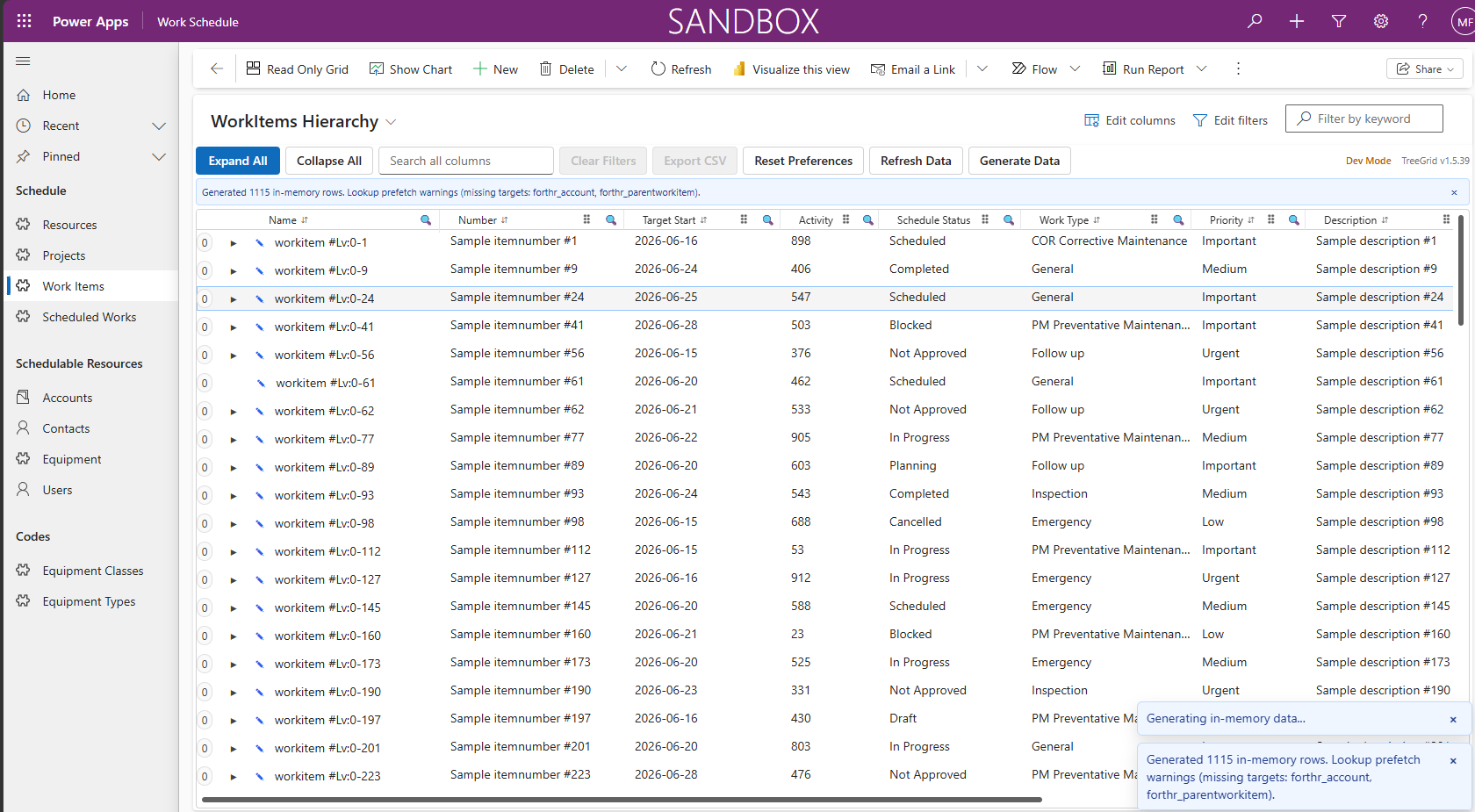
TreeGrid enables users to visualize, navigate, and edit complex hierarchical data directly within Model-Driven Apps—at scale and with full keyboard accessibility.
Standard Model-Driven grids are limited to flat views with no hierarchy awareness. TreeGrid transforms self-referencing Dataverse tables into intuitive, multi-level tree structures—perfect for work planning, asset management, and structured workflows.
Brief Overview Video:
The Problem TreeGrid Solves
Standard Model-Driven grids fall short for hierarchical data:
- ❌ Flat views only – No way to show parent-child relationships
- ❌ No hierarchy awareness – Users lose context across levels
- ❌ Limited interaction – Editing requires navigating to separate forms
- ❌ Poor performance at scale – Slows down with large datasets
TreeGrid provides:
- ✅ True hierarchical visibility – See the full structure at a glance
- ✅ Better navigation – Expand/collapse nodes intuitively
- ✅ Inline editing at scale – Edit multiple rows without opening forms
- ✅ High performance – Handles 1,000–10,000+ records smoothly
Key Capabilities
- 🌳 Hierarchical Tree Grid – Renders self-referencing Dataverse data as a tree (2–8+ levels deep)
- ⚡ Virtualized for Performance – Smooth scrolling (30+ FPS), fast expand/collapse (<250ms)
- 📊 Advanced Column Features – Sort, filter, resize, and reorder columns without code
- ✏️ Inline Editing + Batch Save – Edit values directly; commit changes in one operation
- ✅ Flexible Selection – Single, multi-select, and range selection with context actions
- ⌨️ Full Keyboard & Accessibility – Arrow keys, F2 (edit), Esc (cancel), Space (select); WCAG 2.1 AA compliant
- 🧠 Smart Data Handling – Converts flat datasets to tree, detects circular references
- 🎯 Configurable & Extensible – Standard PCF dataset binding; customizable via column definitions and saved preferences
- 🎨 Modern UI – Built with React + Fluent UI for seamless Power Apps integration
Example Use Cases
TreeGrid is ideal for scenarios involving structured, hierarchical work or assets:
- Work Planning / Scheduling – Work groups → tasks → steps
- Facility Management / Maintenance – Projects → activities → work items
- Asset Hierarchies – Location → system → equipment → components
- Project Breakdown Structures – Phases → deliverables → tasks
- Inspection / Checklist Processes – Categories → checks → sub-checks
- Organizational Charts – Departments → teams → roles
Why Choose TreeGrid Over Standard Grids?
| Feature | Standard Grid | TreeGrid PCF |
|---|---|---|
| Hierarchy Display | ❌ Flat only | ✅ Multi-level tree |
| Inline Editing | ⚠️ Limited | ✅ Full + batch save |
| Performance (1,000+ rows) | ⚠️ Slows down | ✅ Virtualized |
| Keyboard Navigation | ⚠️ Basic | ✅ Complete treegrid |
| Drag-and-Drop Reparenting | ❌ Not supported | ✅ Built-in |
| Column Customization | ⚠️ Manual config | ✅ User preferences saved |
Who Is TreeGrid For?
Built for Power Platform professionals:
- Solution Architects – Designing scalable Dataverse solutions
- Power Platform Developers – Building Model-Driven Apps with complex data
- App Builders – Need advanced UI without custom code
- Business Users – Managing work, assets, or projects hierarchically
No external services required. Works with standard PCF dataset binding and integrates seamlessly with Dataverse security and business rules.
Sample Screenshots:
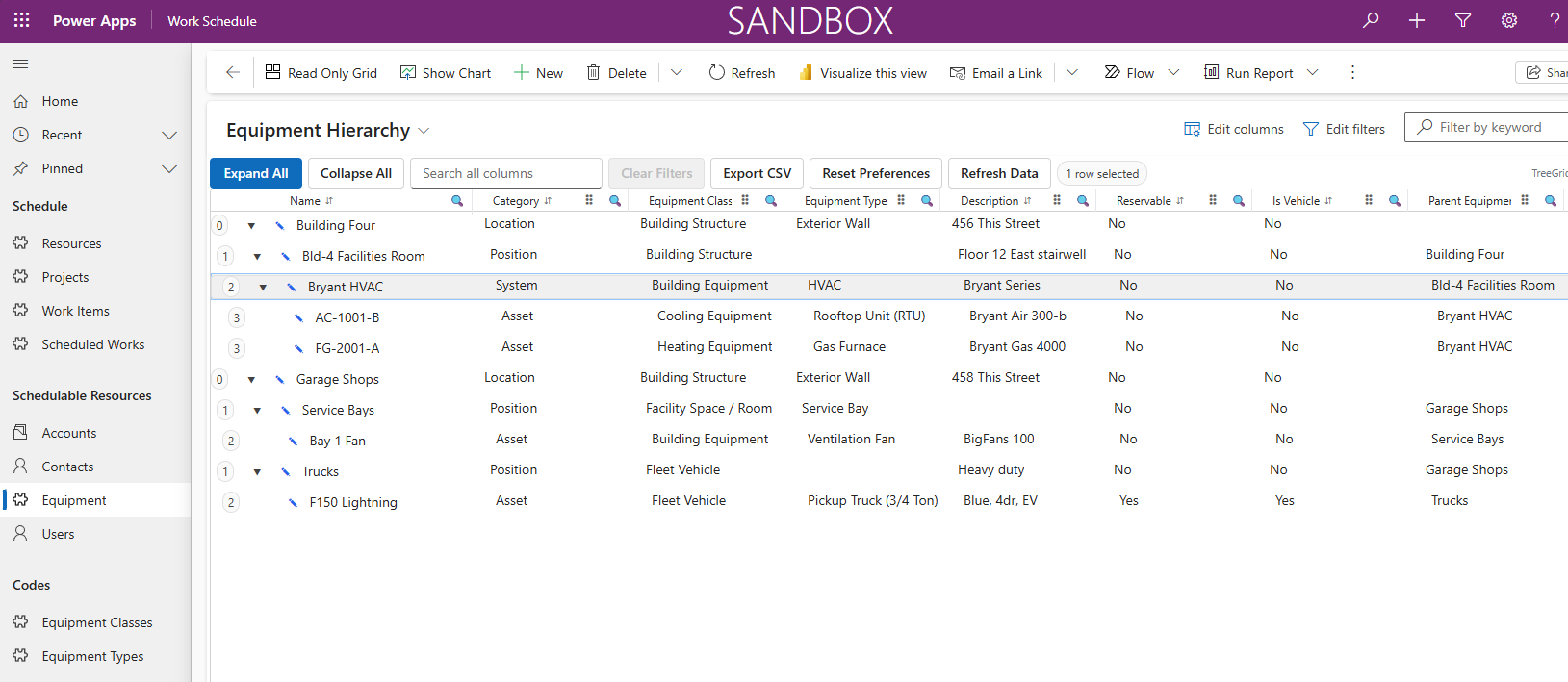
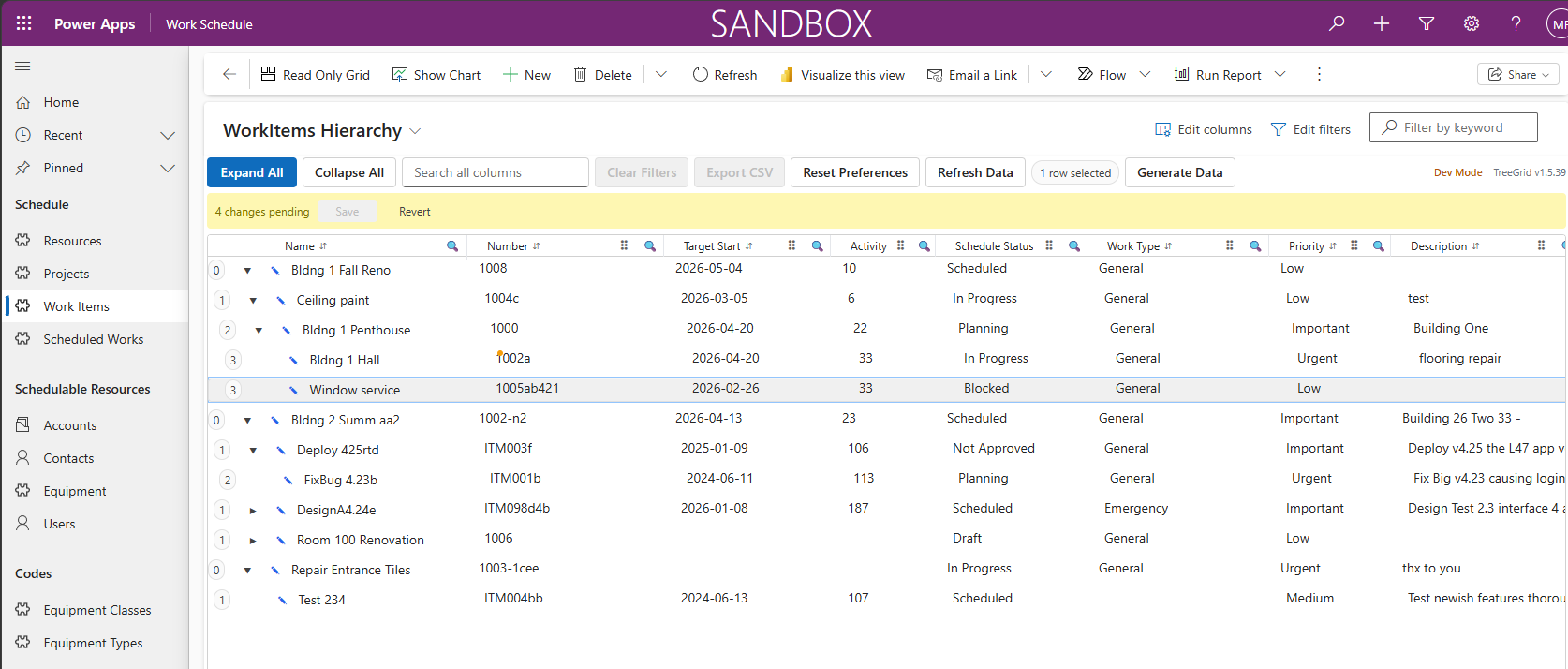
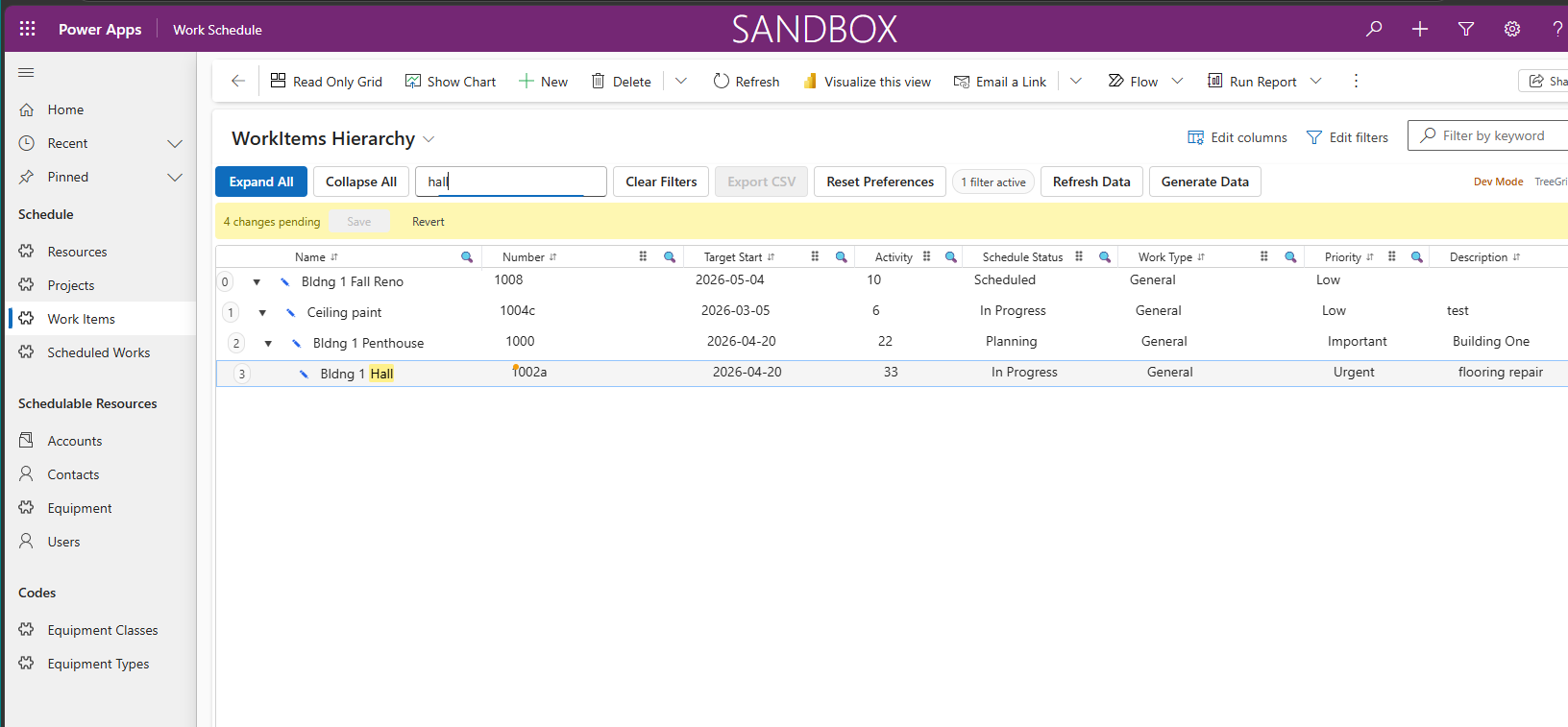
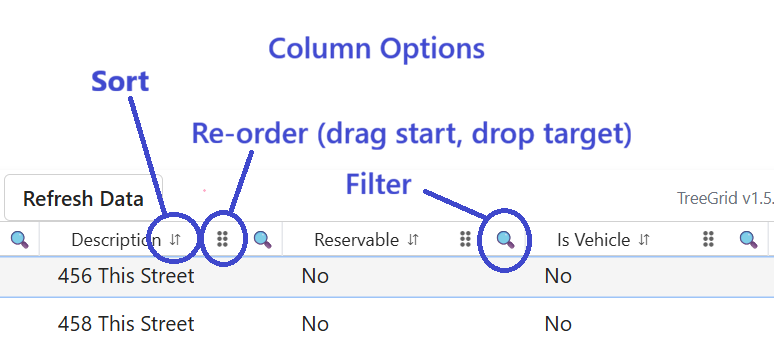
Ready to Transform Your Hierarchical Data Experience?
TreeGrid is a lightweight, high-performance PCF control optimized for Dataverse—bringing structured, multi-level data to life inside standard Model-Driven Apps.
Contact Us for a Demo See It in Action (Schedule Work Orders)